
You can entirely control the interface through different ways.
Automatic startup

Augmenta can be automatically and silently launched at every startup, loading a specific file
From the advanced interface
File → Preferences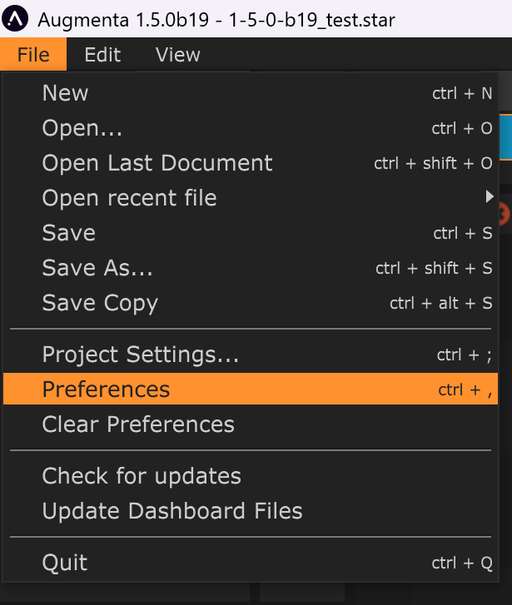
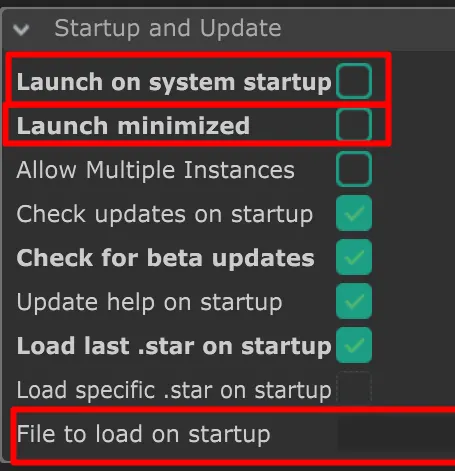
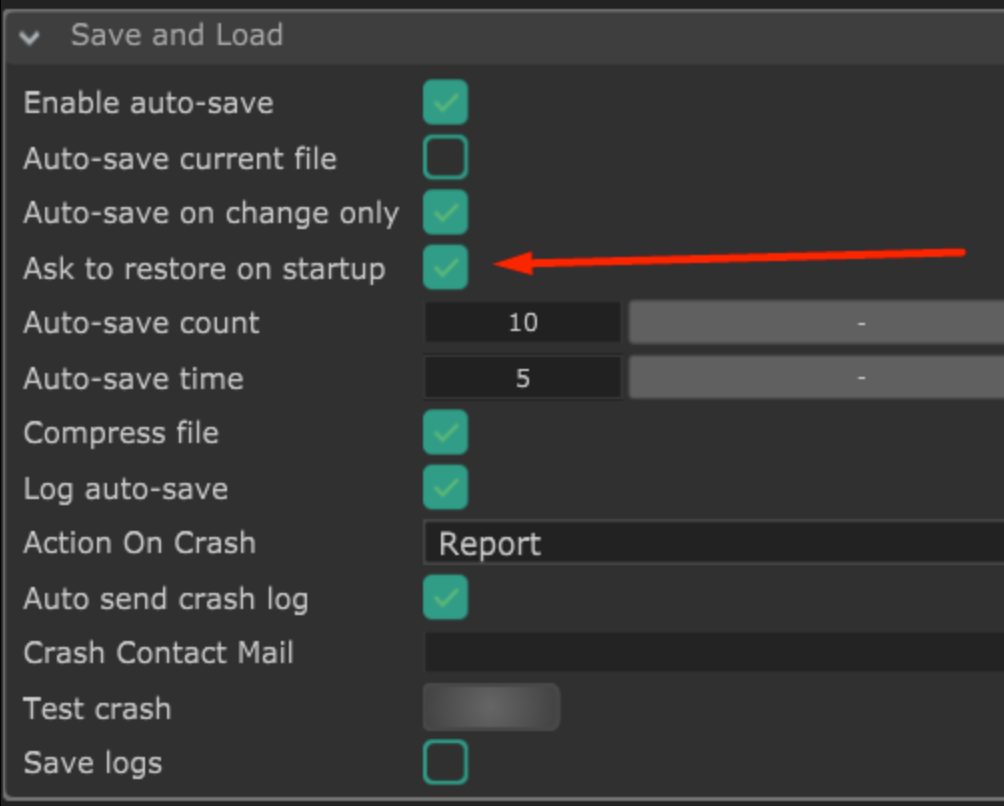
General options
Load specific .star on startup Augmenta will always load the chosen file
Ask to restore on startup Activate/deactivate the popup proposing to restore autosave filesWindows specific option
Launch on system startup Augmenta will launch automatically at each windows startup
Launch minimized Augmenta will launch silently, minimized in Windows system trayParameter control (OSC)
You can control almost any parameters available through the backend interface with OSC.
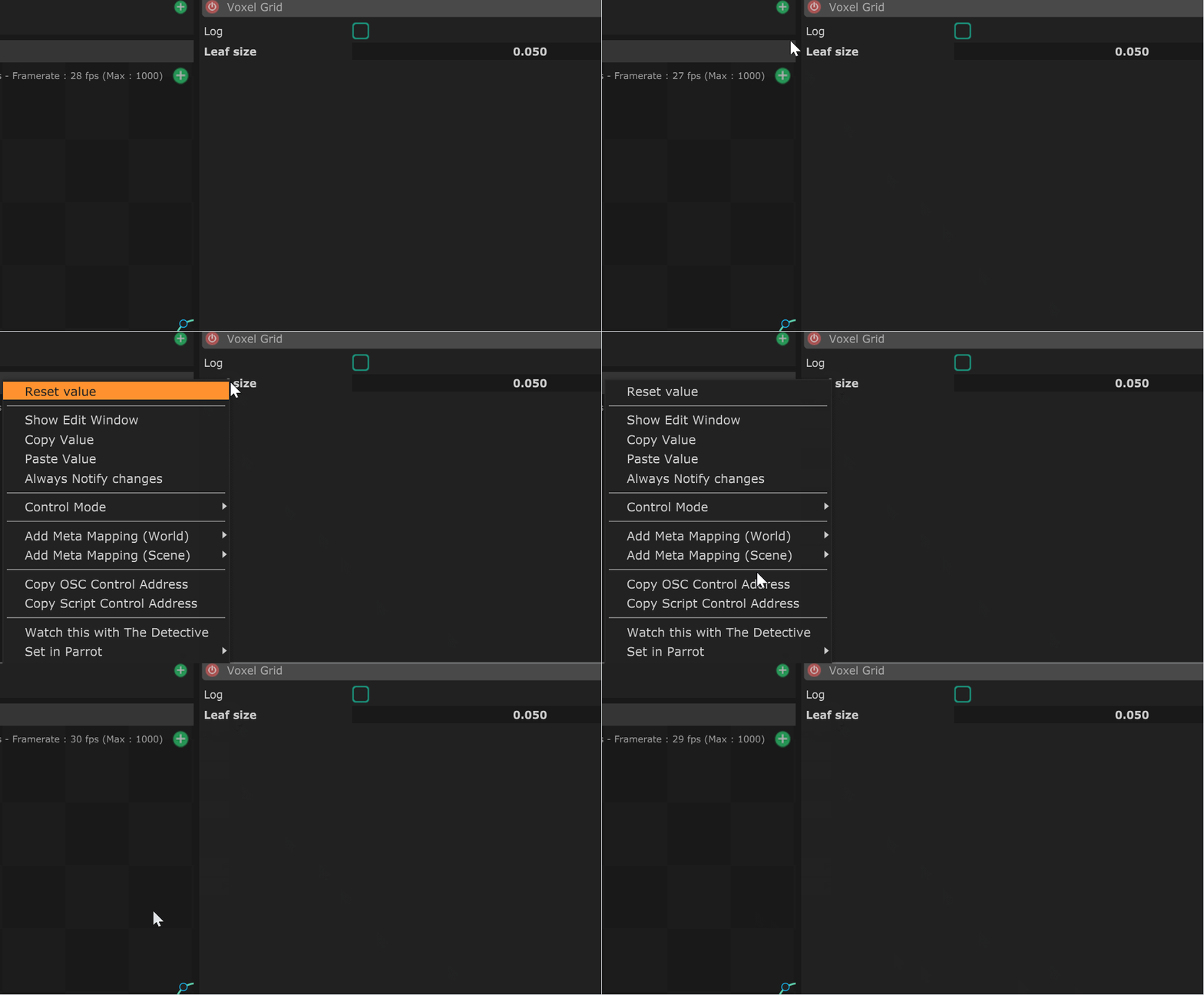
- Get the OSC address of a parameter by right clicking on its name and select the “Copy OSC control address”.
- Control the parameter by sending to
/oscAddress valuetoserverIP:20000
Additionnal osc address:
/closeApp
/systemShutdown
/systemReboot
/appRestartAdvanced
Parameter fetch

You can remotely get a parameter value (and osc address) from a JSON tree. (oscQuery protocol compliant)
- Get the JSON data at
serverIP:20000
- Parse and read your value
Server option
The OSC server can be configured from the Preferences panel (Files > Preferences).
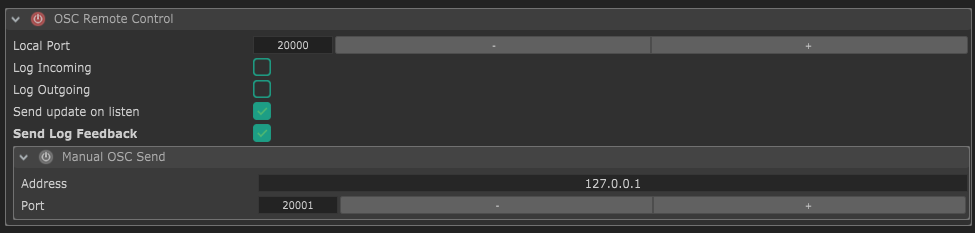
Monitoring the application

You might want to monitor that
- The server is running
- The app is running
Several options are available
Checking the JSON
- Request the JSON data at
serverIP:20000
→ If you can get the data, the machine and the app are running
Create a websocket connection
- Create a Websocket output
- Connect with your monitoring app to the websocket server
→ As long as the connection is alive, the machine and the app are running
Send an OSC address request
- Send /ping to the
serverIP:20000
→ You should receive /pong as an answer on the same port
Note : This should not work on a local computer since the port will be already bound