
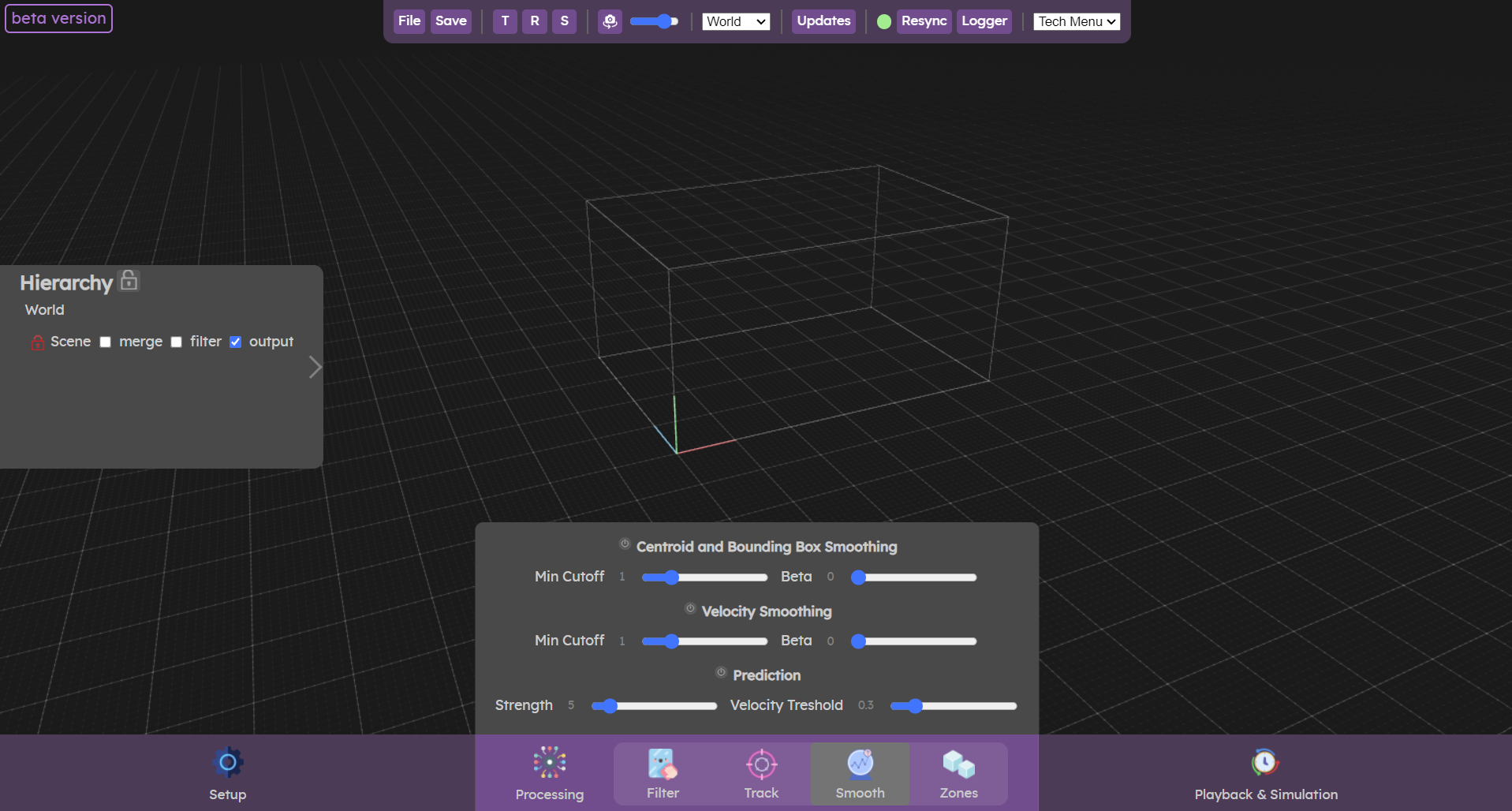
The smooth menu allows you to achieve more precise and sharper tracking. There are 3 filters for this purpose.
- The two smoothing filters allow to remove jittering on the cluster data (centroid / bounding box and velocity), due to remaining noise in the pointcloud data.
- The prediction filter projects the cluster data further along its velocity to compensate for latency and make sur the resulting data will be below the tracked objects in the real world, even if they are moving fast.
Smoothing
The smoothing algorithm used for clusters is the One Euro Filter. The amount of smoothing depends on the speed of the cluster. Using this algorithm results in a quite reactive yet smooth position for the clusters when dialled in properly.
Filter calibration procedure
To minimize jitter and lag when tracking human motion, the two parameters (min cutoff and beta) can be set using a simple two-step procedure.
First beta is set to 0 and min cutoff to a reasonable middle-ground value such as 1 Hz. Then the body part is held steady or moved at a very low speed while min cutoff is adjusted to remove jitter and preserve an acceptable lag during these slow movements (decreasing min cutoff reduces jitter but increases lag, min cutoff must be > 0).
Next, the body part is moved quickly in different directions while beta is increased with a focus on minimizing lag. First find the right order of magnitude to tune beta, which depends on the kind of data you manipulate and their units: do not hesitate to start with values like 0.001 or 0.0001.
You can first multiply and divide beta by factor 10 until you notice an effect on latency when moving quickly. Note that parameters min cutoff and beta have clear conceptual relationships: if high speed lag is a problem, increase beta; if slow speed jitter is a problem, decrease min cutoff.
You can practice calibrating this filter on the interactive demo below (disable all other filter types, to only keep the purple "One Euro Filter"), you can apply the method described above.
Prediction
The prediction allows to move clusters ahead in the space, to compensate for the tracking latency, as well as the rest of the chain (image generation, hardware, projection/display). Adjusting the velocity should allow you to find a sweet spot where the contents appears to be right under the feet of people at any time.
Strength
This is the main parameter of the prediction, which specify how far the cluster will be projected along its velocity vector. The more latency you have in your signal chain, the more you will have to push this value.
With stronger values, you might notice a "elastic" effect when there are sudden changes in velocity (like someone running and then stopping).
Velocity threshold
Under this specified velocity value (in m.s−1m.s−1), no prediction will be applied. This is to avoid jitter when people move slowly, because the overall latency is often not perceived on slow movements.