In the 1.4 version of Augmenta the recording format has been changed.
Starting in version 1.4, there are now 2 types of possible recording types: cluster and cloud.
Recording formats history
See recording formats changelog here :  Augmenta recordings formats changelog
Augmenta recordings formats changelog Using the new CloudPlayback (all file formats)
A retrocompatibility feature has been added to the Cloud Rcorder node. You should be able to play back V0 files as well as V1 cloud recordings.
However, there is an issue with V0.5 recording. Those recordings, when played back will make the app freeze. There is no real way to distinguish V0 from V0.5 files as there is no “version” field to check.
If the Augmenta app freezes or crashes when playing back a record, it is most likely because it is a V0.5 recording format.
Dealing with V0.5 recordings
Use the “Force V1 parsing” option
You can enable the Force V1 parsing option of the Cloud Playback node to try reading files that you think are V0.5 (for example if a specific file make the app freeze).
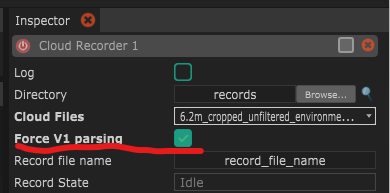
If the file plays well with this option enabled, you should follow the instruction below to convert the file to a V1 format.
Converting V0.5 to V1
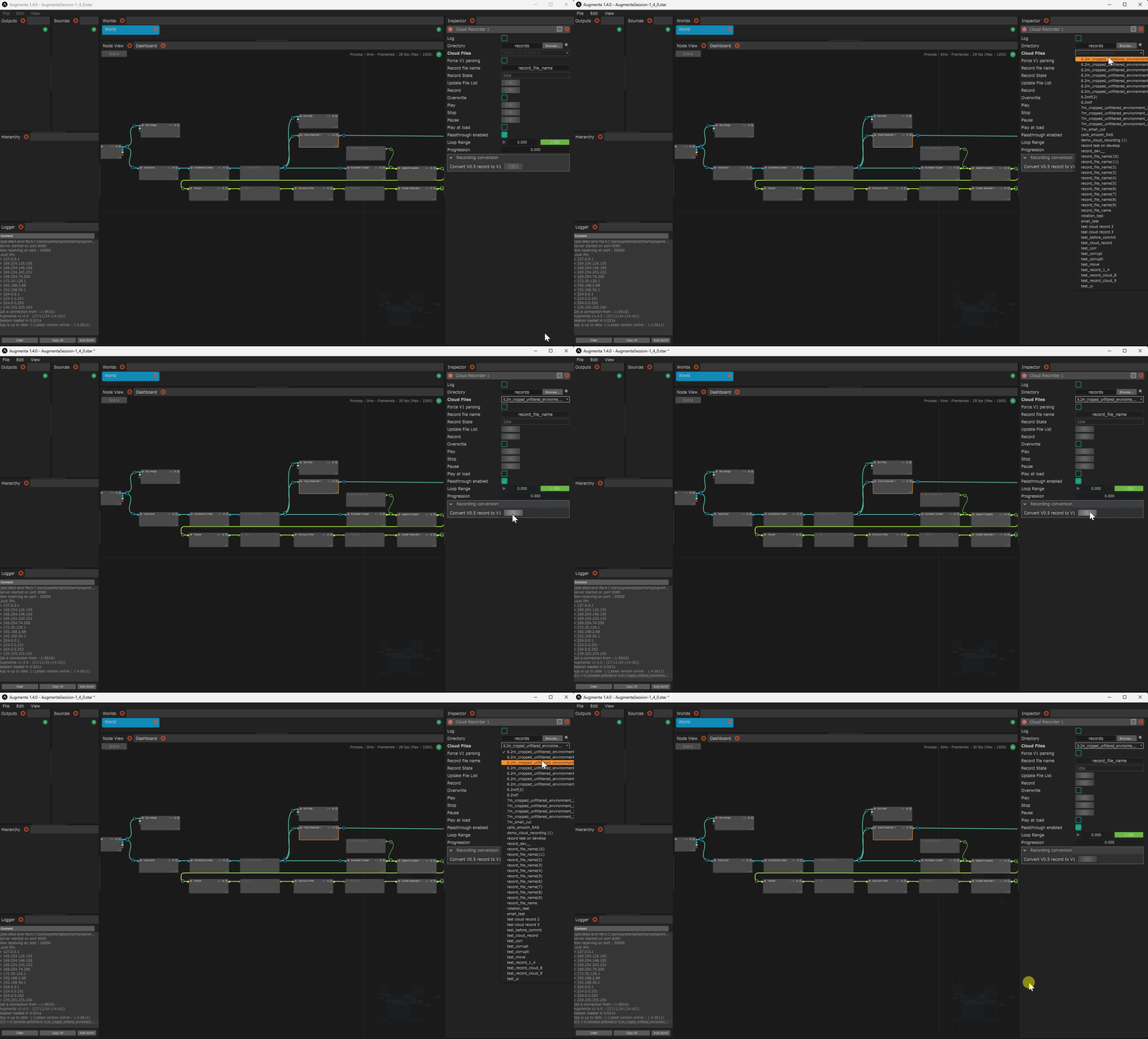
There is however a way to read you V0.5 recordings: convert them using the builtin converter:
- Click on the Cloud Playback node in the graph
- Select the file you want to convert in the Cloud Files dropdown menu
- In the Recording Conversion section, click on the “Convert V0.5 record to V1”
Playing back V0 files using the legacy “Recorder” node
Only for V0 recordings
If you cannot play back old files with any of the instructions above, you can still try to use the old recorder implementation as decribed below.
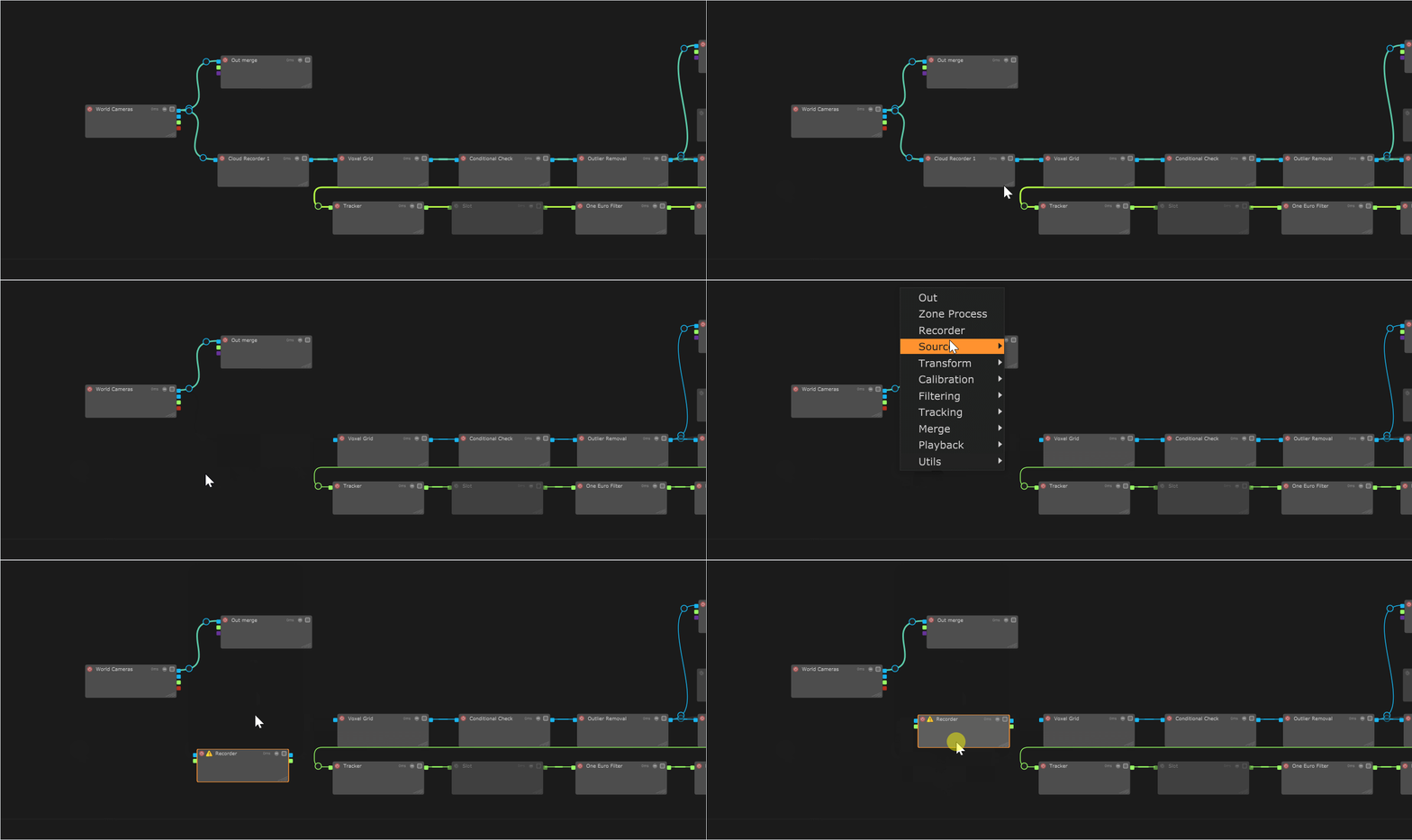
You can simply replace the “Cloud Recorder” node from a newly created file in Augmenta 1.4 by the legacy recorder as shown below and it will play back your older file.