
A service to connect to the server is already preinstalled on the machine. Locally or remotely you can use this service to connect to the machine if needed.
Remote Desktop
You can use the builtin “Remote Desktop” client that is pre-installed on Windows computers.
You have to input the IP address of the Augmenta server and click on the “Connection” button.
Finding the server IP adress
There are multiple ways to get the IP address of the server, you can look them up here.
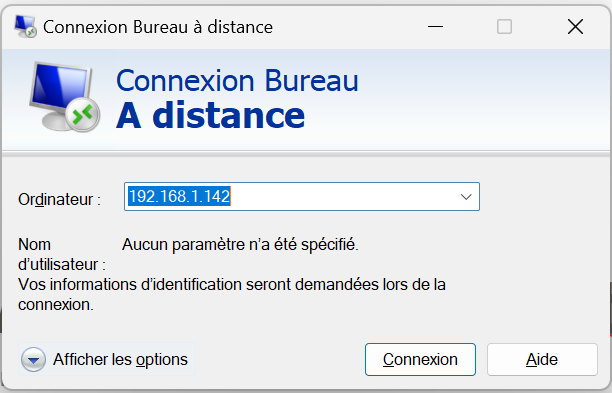
Then you’ll be asked login credentials, enter the following:
user: augmenta
password: augmenta78
Then confirm that you want to connect on the certificate warning.
You should then see the Augmenta Server’s desktop in full screen.