
- Download the configuration software: “SOPAS ET” on Sopas download page
- Install SOPAS ET on a Windows computer
- Power on the sensor and connect an ethernet cable to the computer running SOPAS 👉 PoE only sensors : use a PoE injector or a PoE switch 👉 Standard sensors : use either PoE or the power provided power supply 👉No need to manually set an IP on the network interface where the sensor is connected, SOPAS will find the sensor automatically
The first time you connect a new sensor to SOPAS, you might get a message saying that you do not have the proper SDD / driver file for the sensor. In this case select the option “download the required file directly from the sensor” (not through the internet !). That’s the best way to ensure you have the correct config file.
- Open the SOPAS ET app. Detect and add the sensor as described below
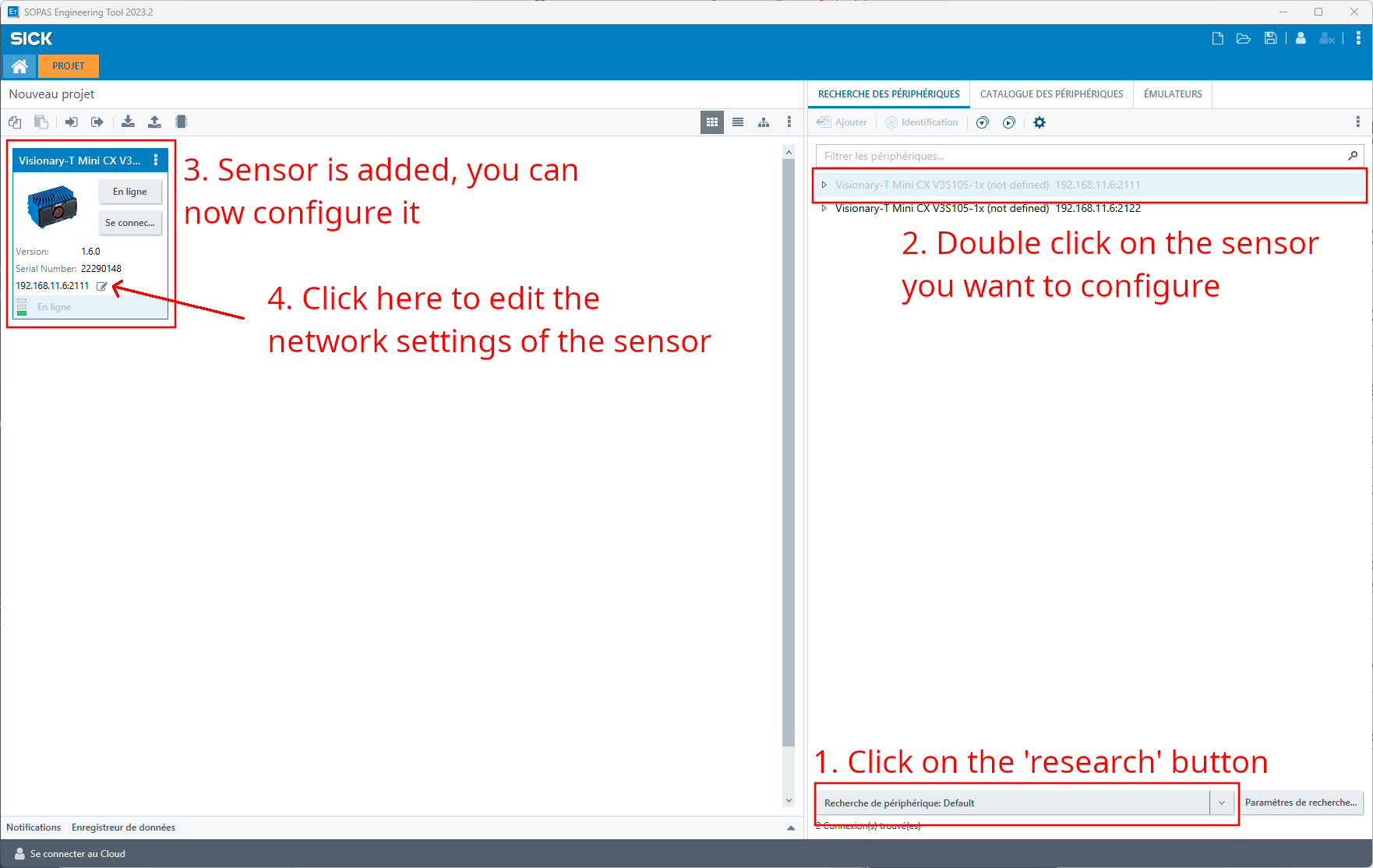
- After opening SOPAS ET, the app should automatically launch a detection of the sensors. If not, you can click on the button in step (1) of the screenshot below to launch a detection.
- Once a sensor is in the left project panel, you can click on the edit icon next to the IP address of the sensor (4) to edit its IP address.
When SOPAS detects sensors connected to your computer, it will add them in a list of sensor in the "Peripherals Research" panel. You will either have one or two entries per sensor, you can double click (2) on anyone of them to add it to the SOPAS project (left panel) and configure it (3).
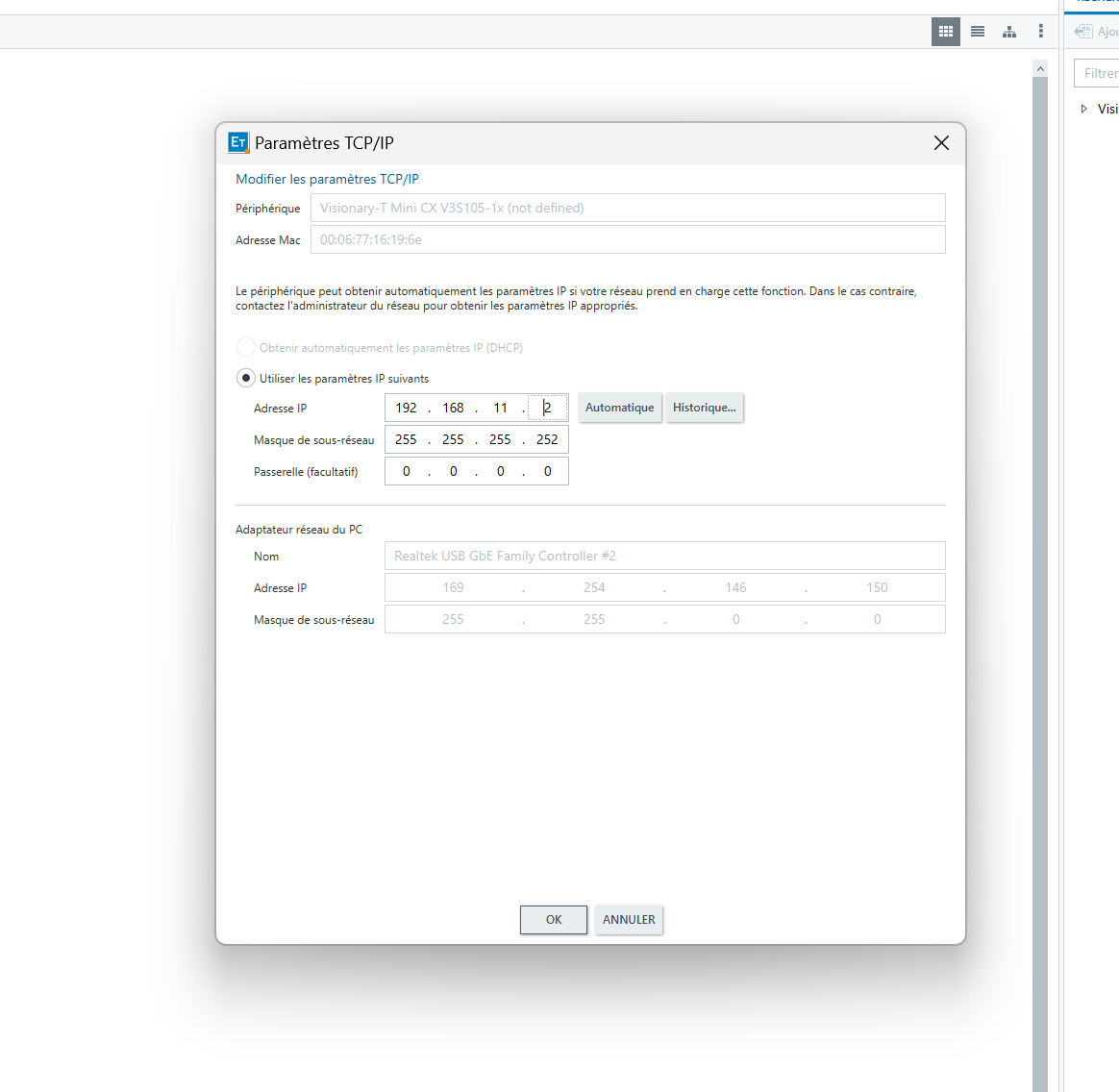
- Enter the network settings that you need according to the
 Augmenta server initialization
SOPAS might tell you that the new IP address does not correspond to any address of your local computer's network interfaces, you can ignore it.
👉 Good practice : mark the sensor IP on it and server port number
- Done 🙂 You can now wire the sensor to the Augmenta Server directly on the corresponding LAN port, see Augmenta server initialization