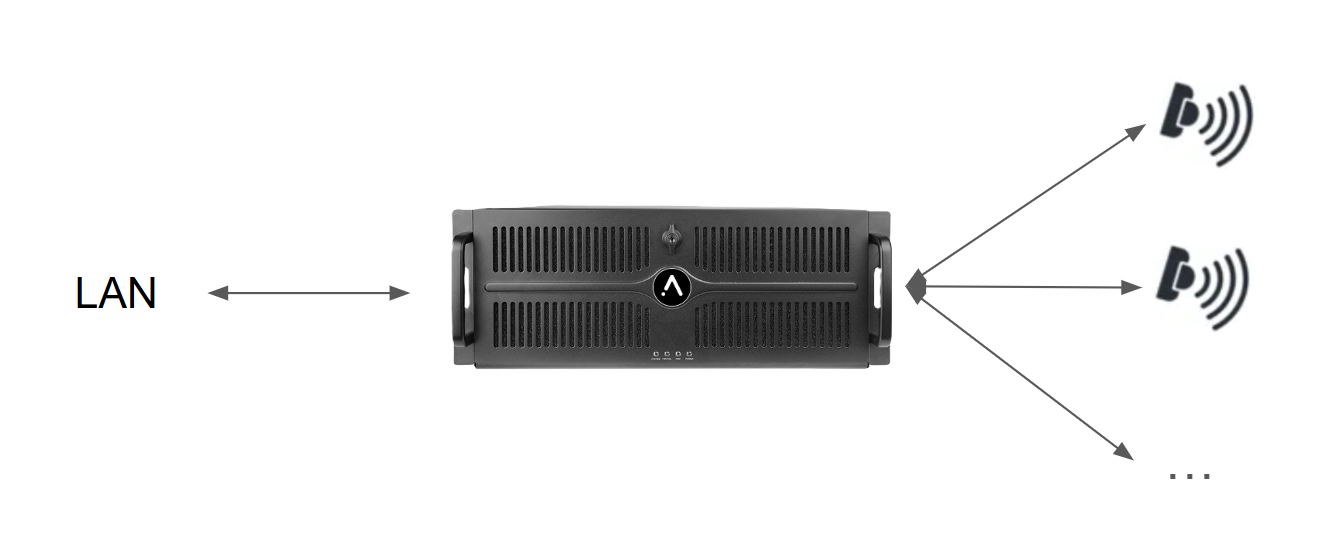
Sensor wiring
⚠️
For their first use, the sensors need to be initialized
The system is designed to have a direct one-to-one cable connection between the sensor and the server.
Sensor ⇒ single min CAT6 RJ45 cable ⇒ Augmenta server
Good practice : Each sensors should be labelled with a number (and even better, also the IP address).
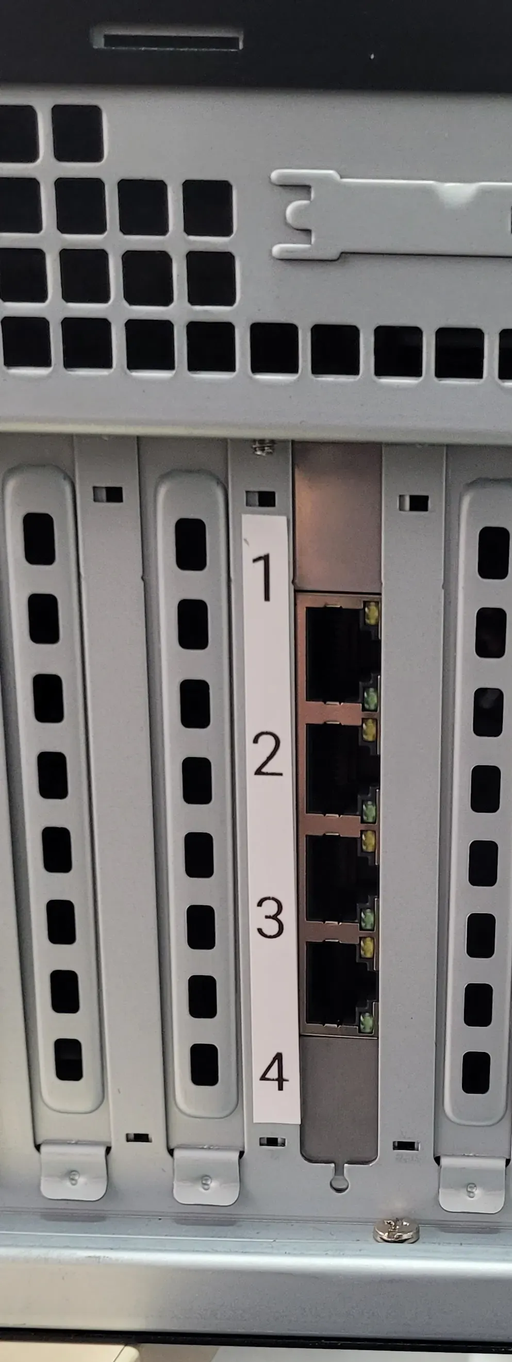
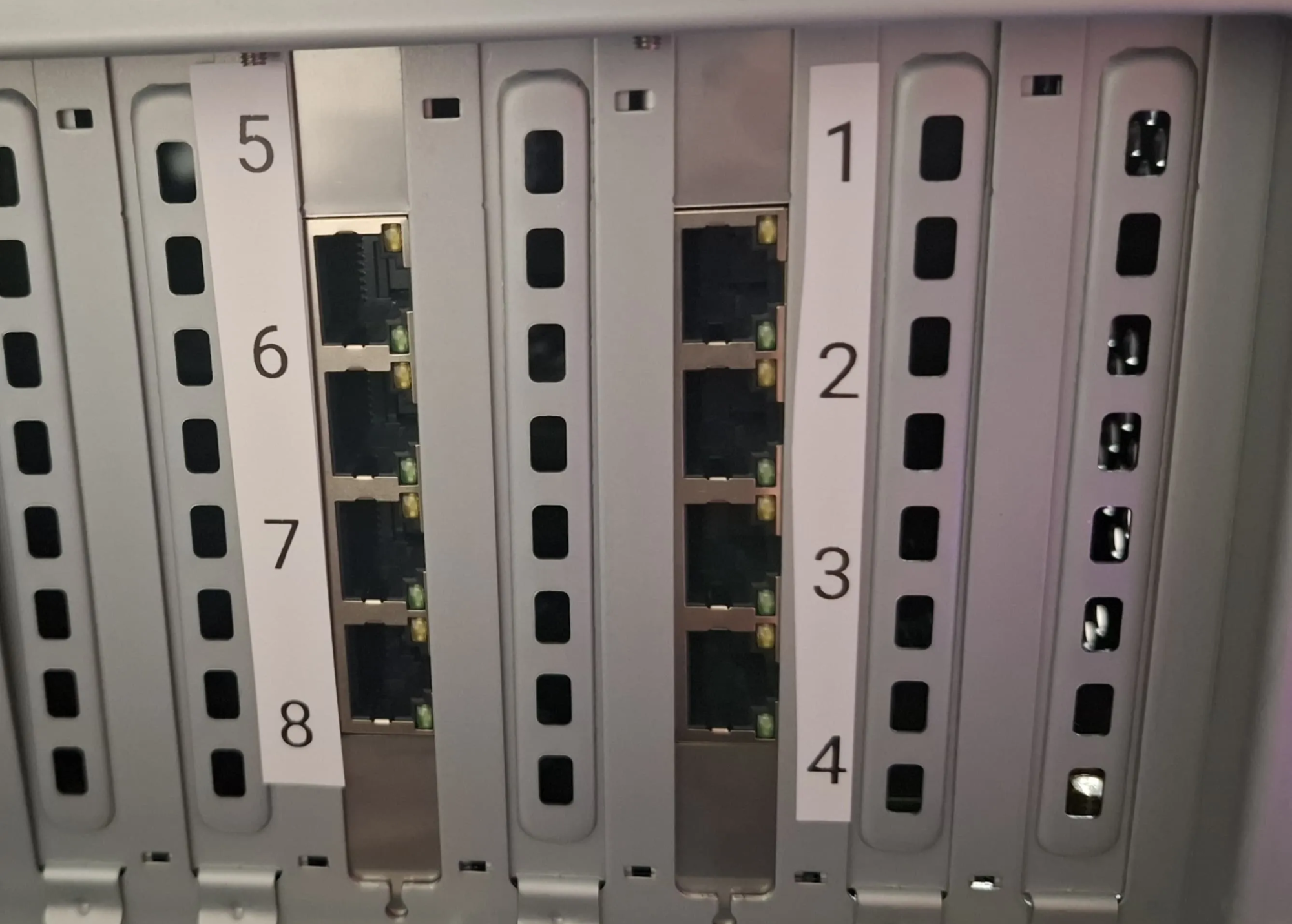
Sensor #1 needs to be plugged to port #1 and so forth.
Advanced
Advanced : Why is it a one-to-one connection ?
By design, for :
- Optimized latency with our dedicated low latency card
- POE possibility
- Less point of failure
- Correct backbone and network bandwidth management
Advanced : >100m network cable
If you need to have a cable that is more than 100m long between the sensor and the server, a standard CAT6 ethernet cable will not be enough anymore, you will need to switch to a specific >100m type of cable
Advanced : One-to-one direct connection is not possible
Advanced : I’m using a backup Augmenta server
This case will need a 1GB switch between the sensor and the two servers, please refer to the documentation
Finding the ports
Pro4
Pro8

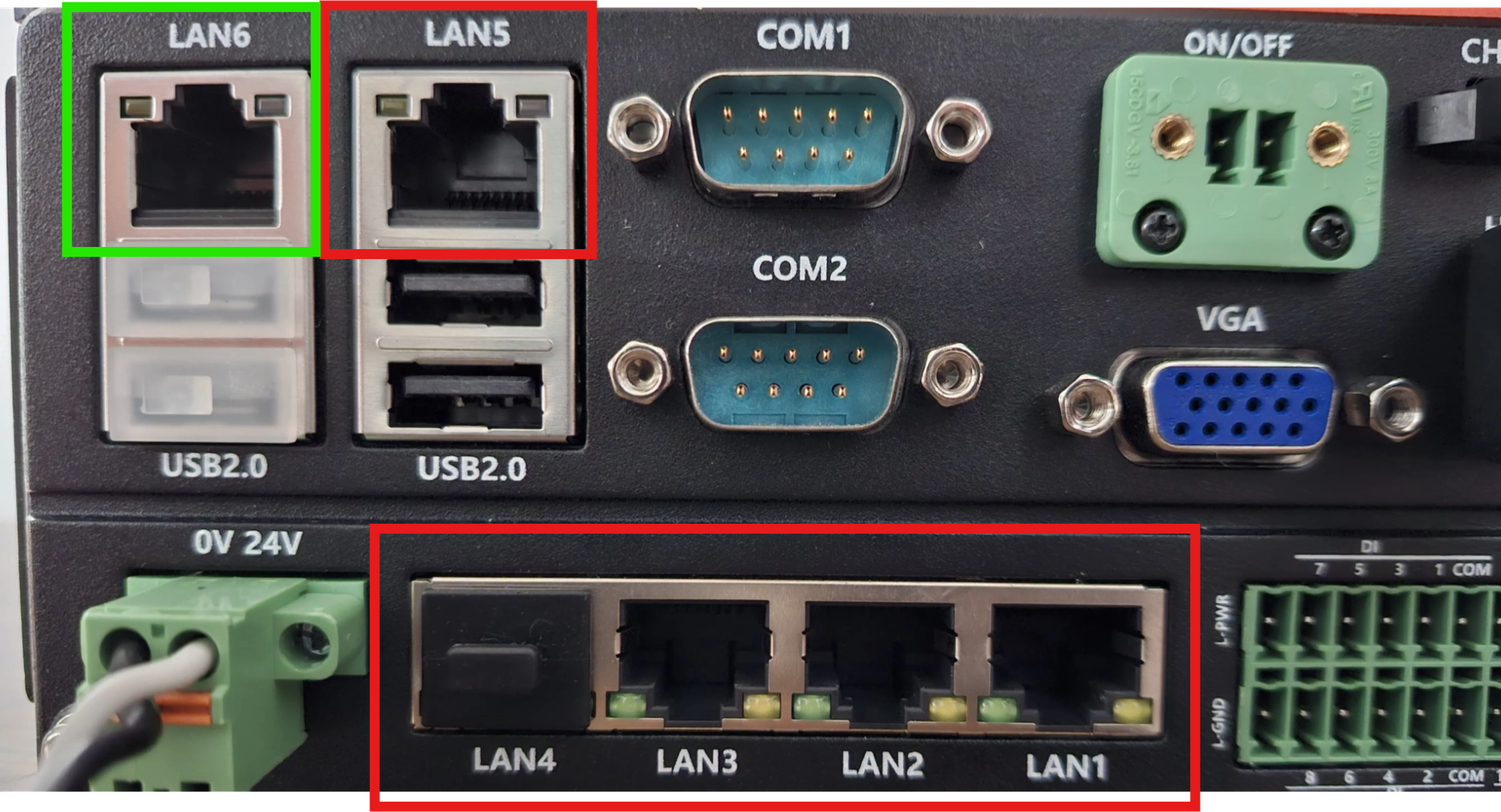
Portable

POE (Power over ethernet)
If your sensor is POE enabled, there is nothing to do, the server automatically detects and provide the correct amount of power over ethernet.
⚠️
Please ensure that it’s a direct one to one connection between the server and the sensor to use the POE feature
Server wiring
Now you need to plug your sensor to your local network (LAN)
Augmenta server ⇒ LAN
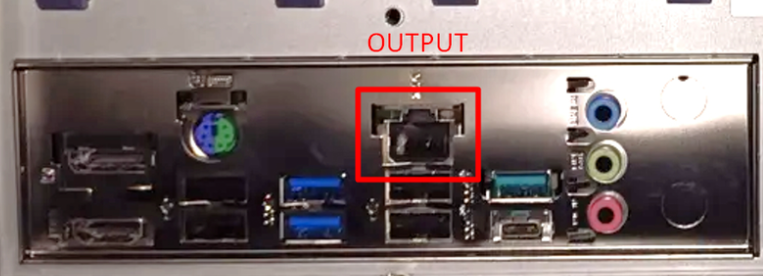
Server needs to be plug to your local network (LAN) on another specific port.
Finding the ports
Pro4 / Pro8
Portable
Advanced : Custom servers
Per request, we offer custom servers with an additional 10Gb network card for volumetric capture, in this case, the LAN port is the one from the 10Gb card.
💡
Although servers are meant to be accessed remotely from any computer (recommended use), you can also plug a screen, keyboard and mouse and access the web interface.