
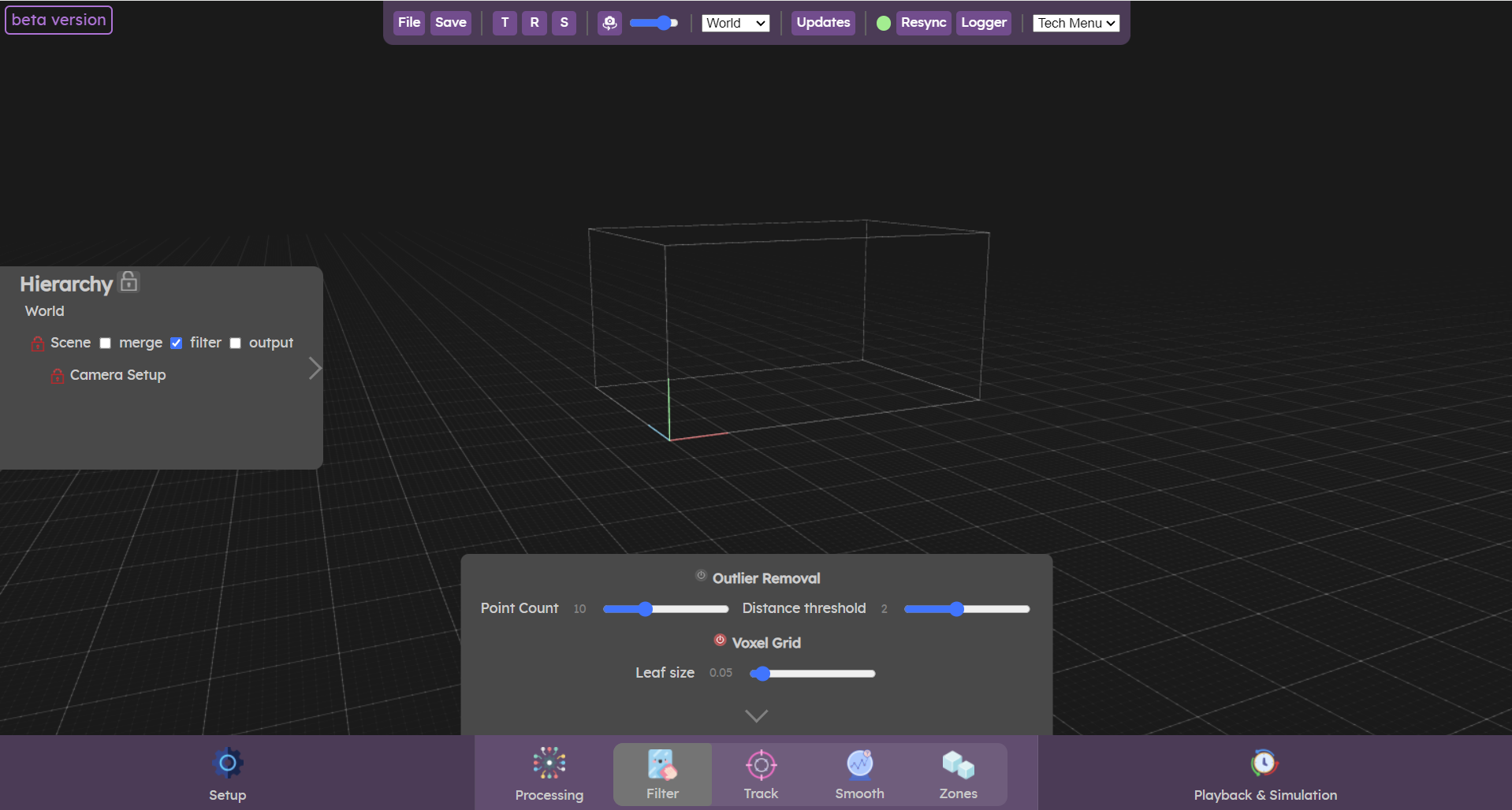
The Filter menu is used to clean the point cloud. Two filters are available outlier removal and voxel grid.
- Outlier removal removes some of the noise seen by the camera or irrelevant points.
- The voxel grid filter, which reduces the number of points in the point cloud for improved performance.
You should make sure to clean up as much noise as possible already in the source settings, with onboard filters for sensors that support it. Onboard filters are usually more effective as they are tailored for the specific sensor.
If no onboard filters exist for your sensor, or if there is still noise that can't be removed with the existing filters, then filters in this menu might help.
Outlier Removal
The outlier removal filter is a noise removal tool. This filter is effective against isolated points. It can be tuned to remove those isolated or small groups of isolated points that are identified as noise.
It might also be "eating up" some part of the objects/human pointcloud you want to track so make sure it is not too agressive on the actual data you are interested in.
The parameters meaning and configuration procedure are detailed below.
Point Count
The number of neighbours to use to compute the mean distance. The biggest the number, the more computationally intensive the filtering will be. We suggest to use at most 20 points to keep the computation low enough.
Distance threshold
The distance threshold is the parameter you will want to change to remove points. Start with the slider at the maximum value, it should not be removing much points with this setting. Then lower this value until the noise disappeared mostly to have isolated clusters.
You do not need to remove all the noise, because in the clustering stage a low number of isolated points will not be taken into account. Find the right middle ground to remove most of the noise without removing too much data on the actual objects you want to track.
Processing details
The number of neighbours to analyse for each point is set to point count, and the standard deviation multiplier to distance threshold. What this means is that all points who have a distance larger than distance threshold standard deviation of the mean distance to the query point will be marked as outliers and removed.
Voxel Grid
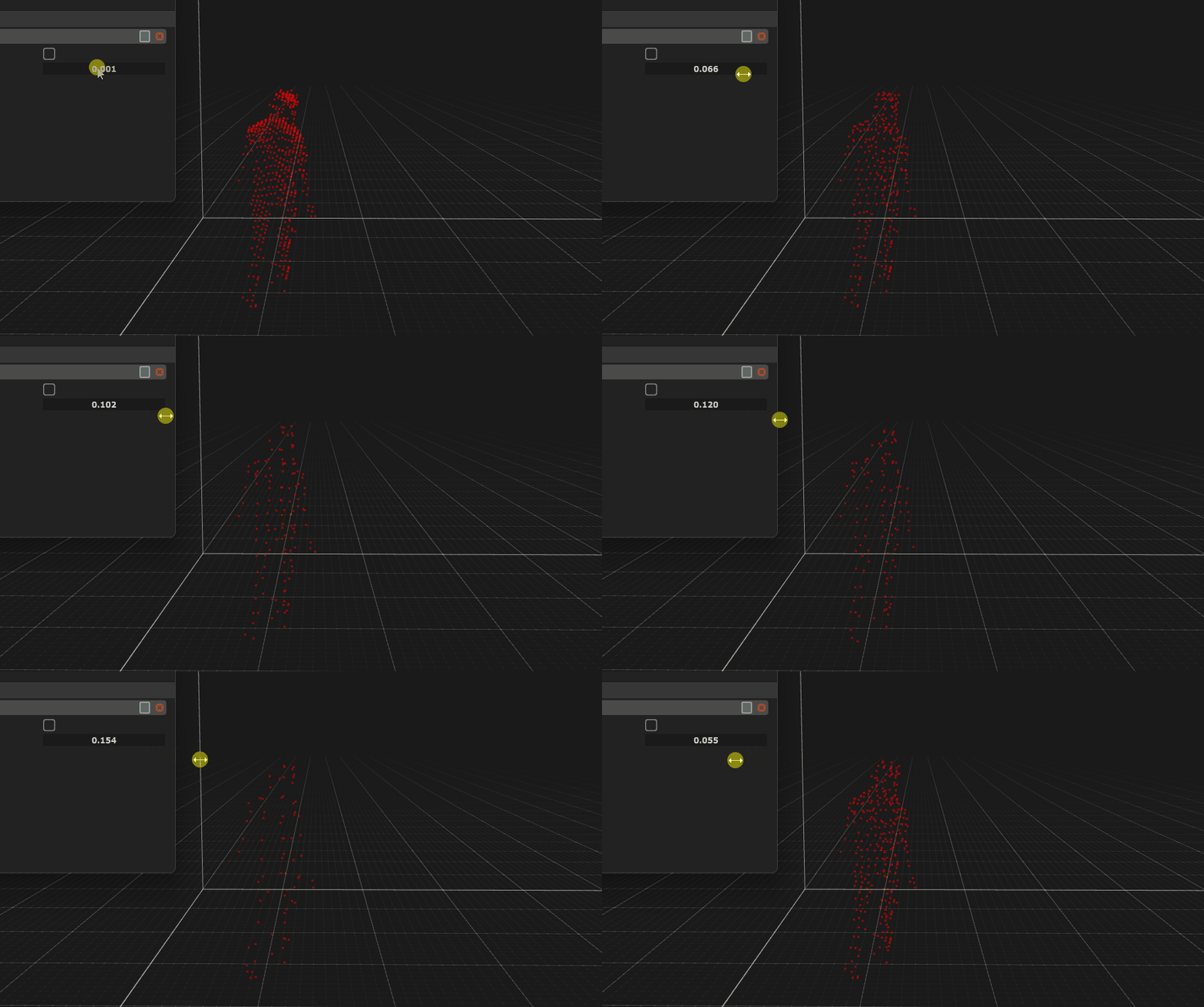
The voxel grid allows to reduce the number of points by simplifying locally a point cloud. It divides the space into voxels of a set size (the leaf size parameter of the filter) and replaces all the points in a single voxel by their centroid.
This filter allows to downsample a pointcloud with minimal loss of the overall shape. This filter should be used if you encounter performance issue in the tracking, as reducing the number of points entering the clustering / tracking stage will reduce the computational cost of those steps.
See the animation below with the filter in action, where we adjust the leaf size parameter.
Video tutorial
This video goes in depth over the different parameters of the filters.
Now let’s check the  Track panel
Track panel