A new Augmenta plugin for TouchDesigner, designed to receive data from Augmenta's WebSocket output. It supports:
- Tracking features (cluster IDs, positions, bounding boxes, speed, etc.)
- Point cloud streaming
- Zone triggering and control

TouchDesigner plugin : download
Requirements
Augmenta 1.5+
TouchDesigner 2023+ or 2025 for POPs
Only windows is supported at the moment. For MacOS, see the legacy plugin:  TouchDesigner OSC Plugin (legacy)
TouchDesigner OSC Plugin (legacy) Install
Copy the downloaded files into your Derivative plugin folder located in :
C:\Users\"your-username"\Documents\Derivative\PluginsWhen first starting TouchDesigner, you’ll need to accept a few prompts notifying you of the new available Ops.
Setup
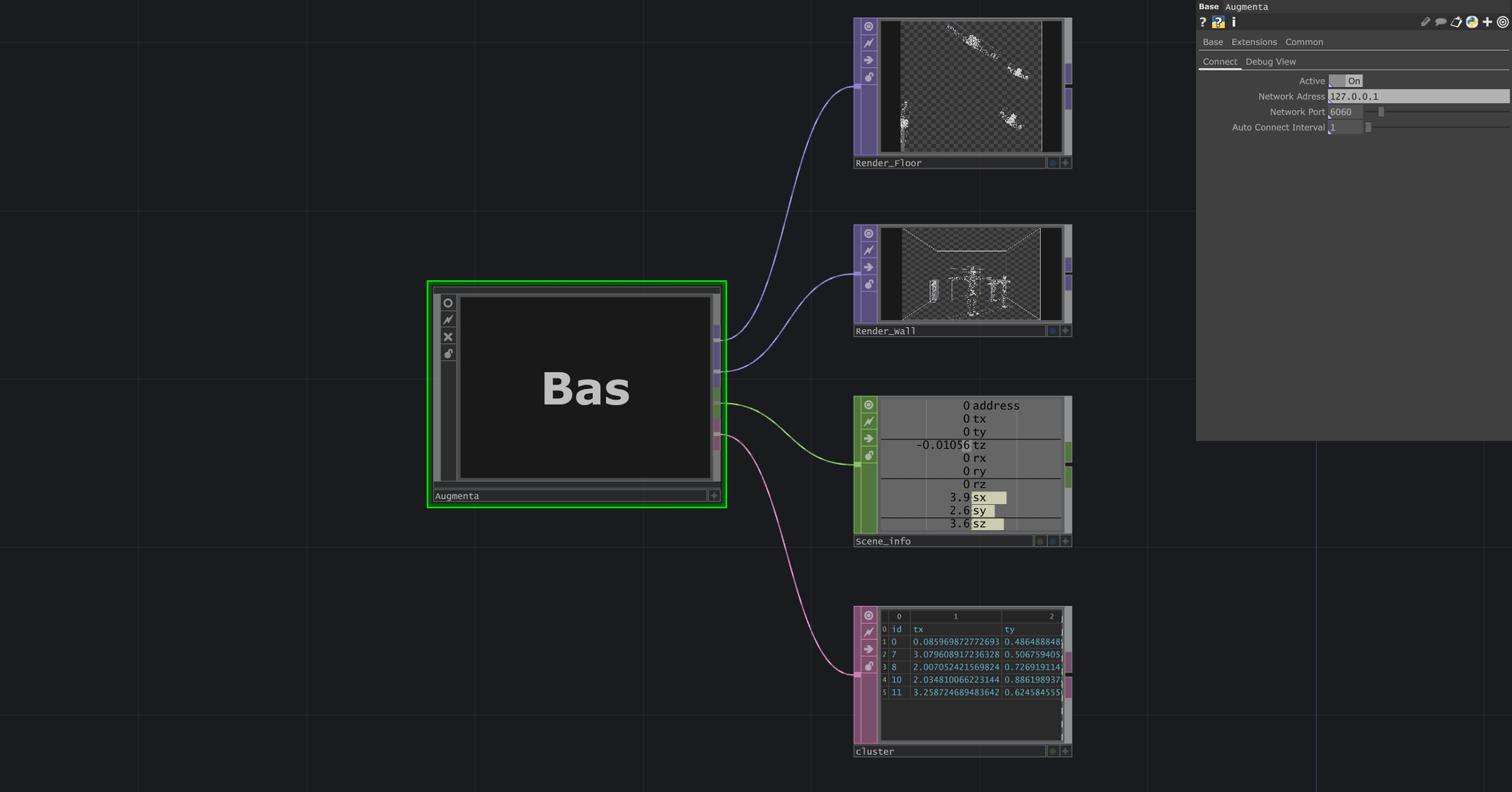
- TouchDesigner : Enter the Augmenta’s server IP address and port in the Client DAT. If you are using the simulator on the same machine, this is 127.0.0.1
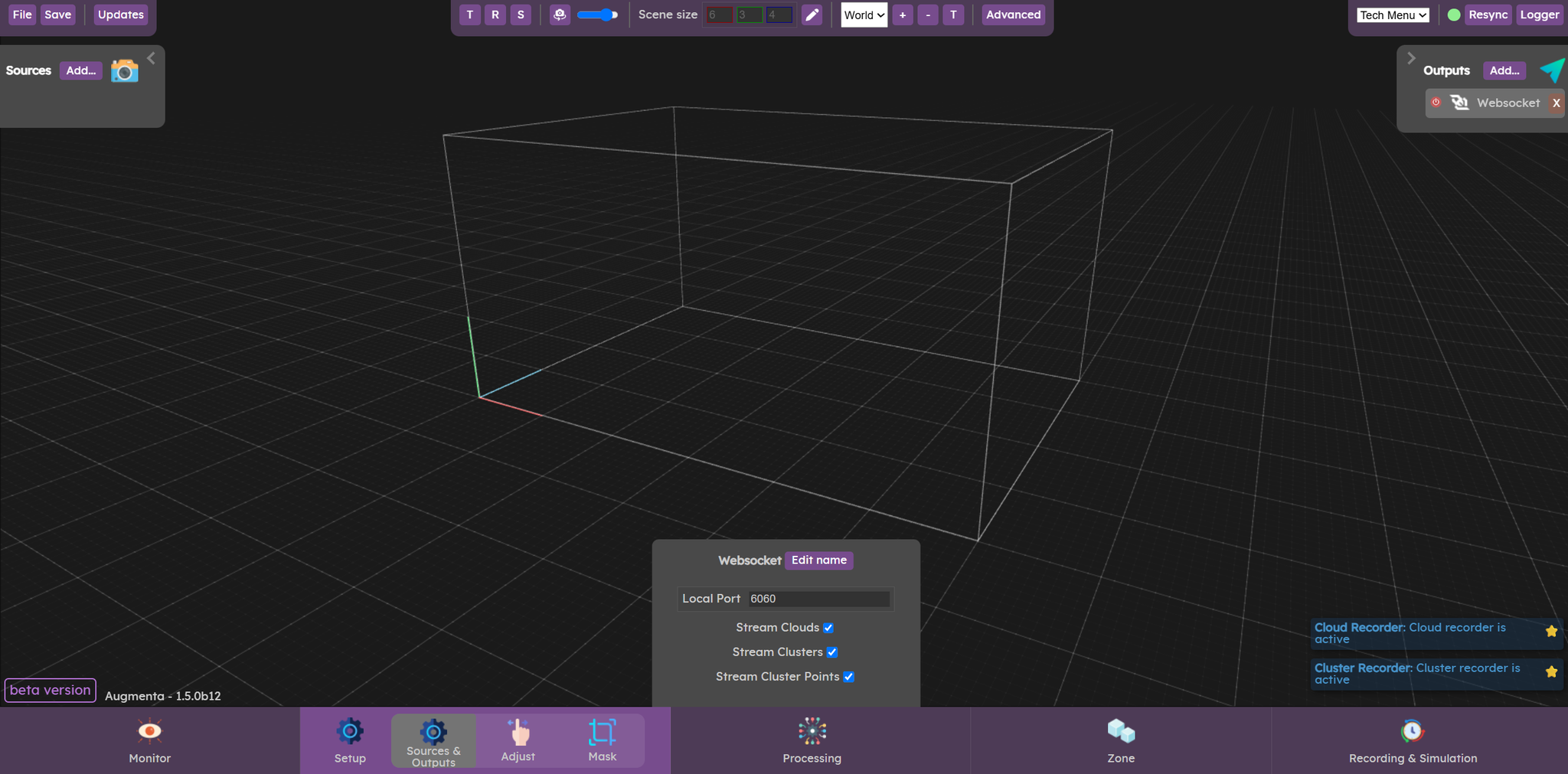
- Augmenta : Create a WebSocket output ( Setup → Sources & Outputs → Output → Generic → Websocket )
How to use
Available operators
You can find these nodes in the custom operator family.
Node | Description |
Augmenta Client | Augmenta Entry Point
Connects to the augmenta server and provides data to the other operators. |
Augmenta Scenes | Select the scene from which you want to receive data. |
Augmenta Clusters | Dynamic array of clusters |
Augmenta Zones | Dynamic array of zones |
Augmenta Zones | Zones infos : Slider / Pad XY / Presence / Enters / Leaves |
Augmenta Point POP | Stream the point cloud from clusters/scenes/zones. |
Augmenta Point TOP | Stream the point cloud from clusters/scenes/zones. |
Tracking
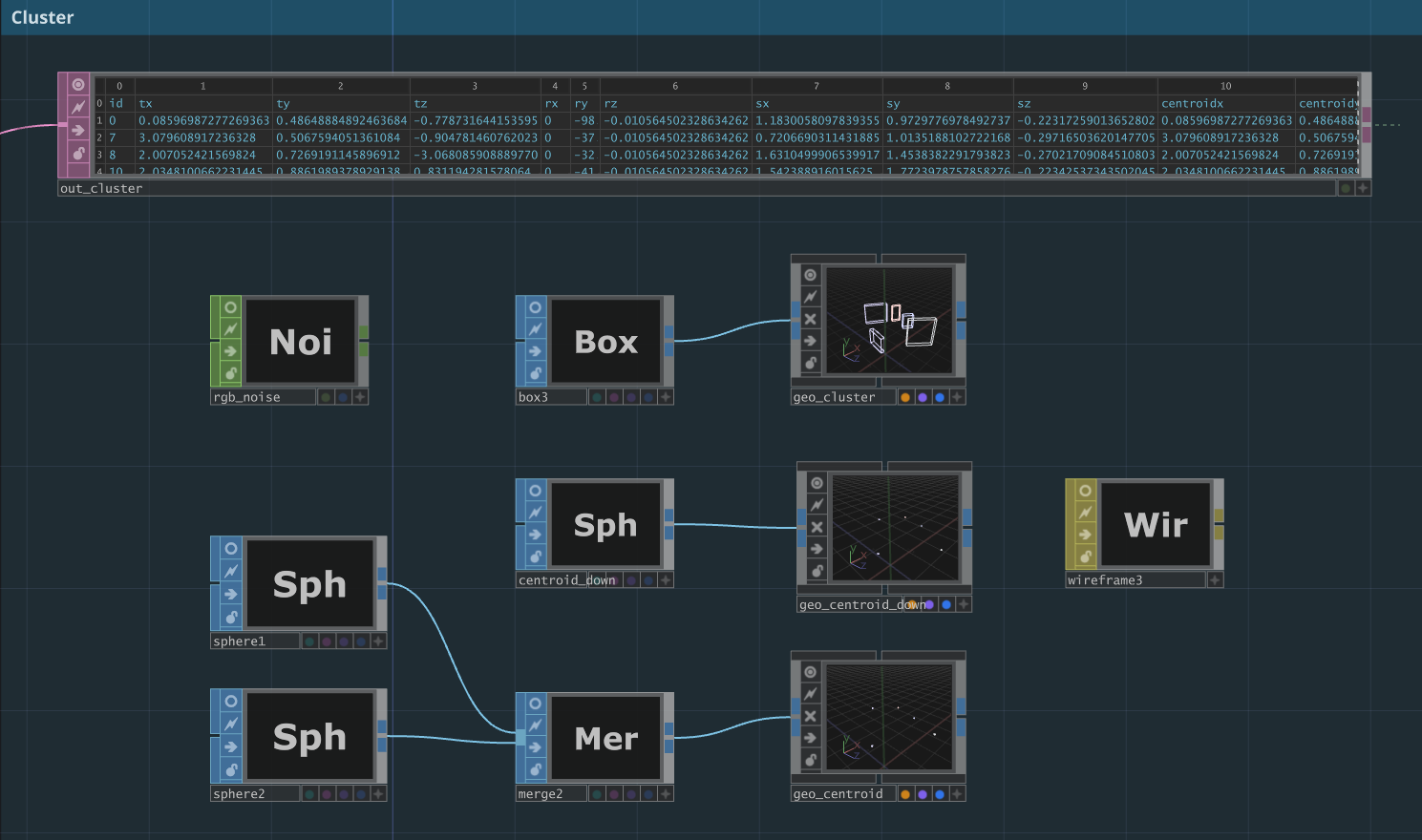
Cluster Data : IDs, positions, bounding boxes, speed, etc.
Item | Description |
id | tracking cluster ID |
tx, ty, tz | cluster transform |
rx, ry, rz | rotation |
sx, sy, sz | cluster size |
centroidx centroidy centroidz | centroid of the cluster’s points |
Pointclouds / Volumetric
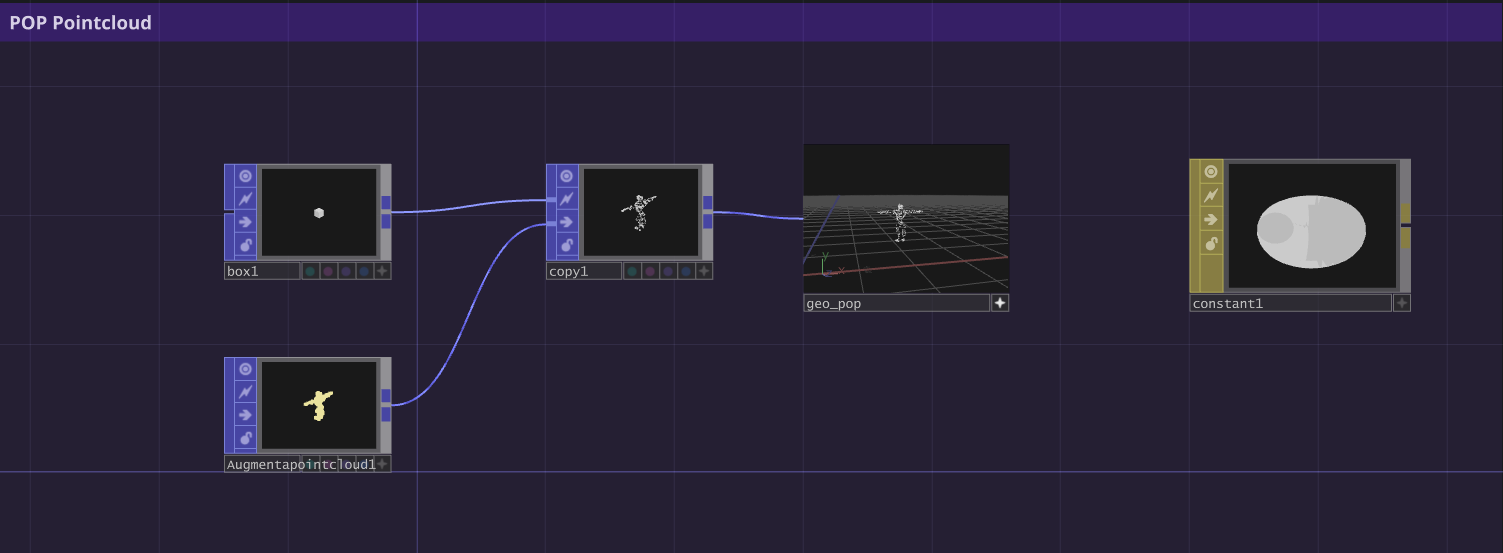
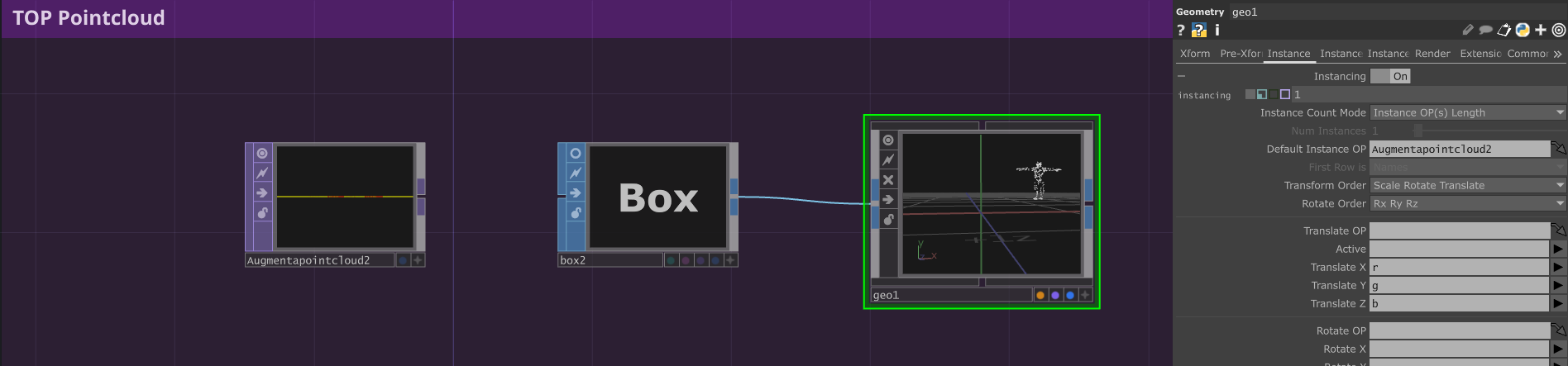
You can receive the point clouds from clusters, scenes or zones. To do this, enter the corresponding Augmenta DAT.
- With POP
- With TOP (instancing)
Zone triggering and control
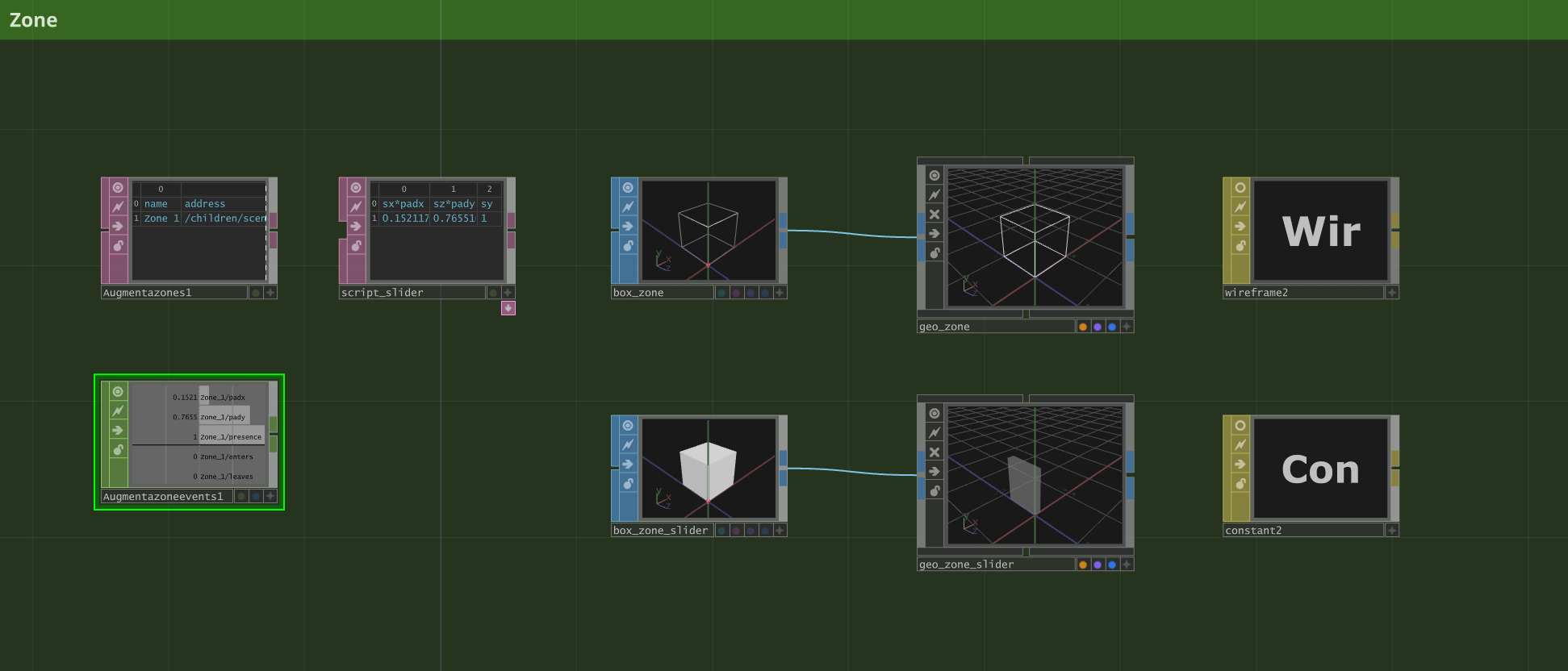
You can retrieve zone information from the DAT by enabling "Show Events", or alternatively access only the specific data you need directly from the Augmenta CHOP.
In the example, to visualize the slider, we multiply the size of the zone by the padXY values in order to instantiate it. If you need a precise value for a slider, we recommend using the Augmenta Chop Zone Event operator.
You have access to:
- Sliders
- Pad XY
- Presence
- Enters
- Leaves
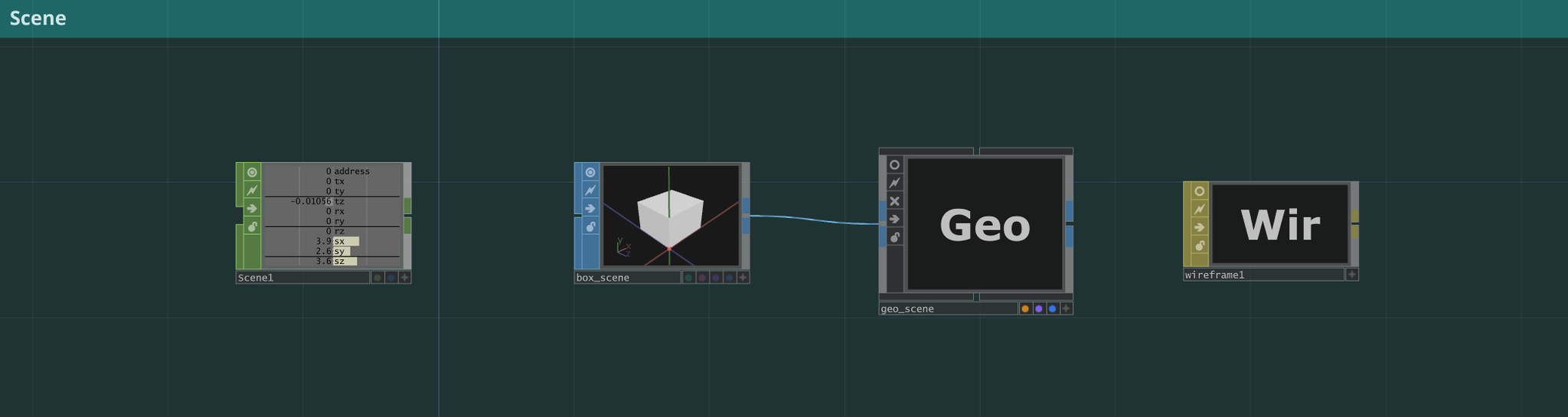
Scene
Get the scene data. It represents your interactive zone. This is the white box in Augmenta’s view.
Troubleshooting
- Some users reported that they had to install the Microsoft Visual C++ Redistributable packages 2022 to solve some launch issues with the plugin.
- If you encounter an error saying “Plugin Load Error: The plugin failed to load […]” you might need to install OpenSSL 3.6.2. You can find it here (The “light” version is enough)