
All deployment and integrations of Augmenta equipment will be different depending on parameters and constraints of every site. Here are some guidelines and good practices.
Quick and simple
For a quick and simple access to the server, (studio use, or simple installation), here is the easiest way to access the server.
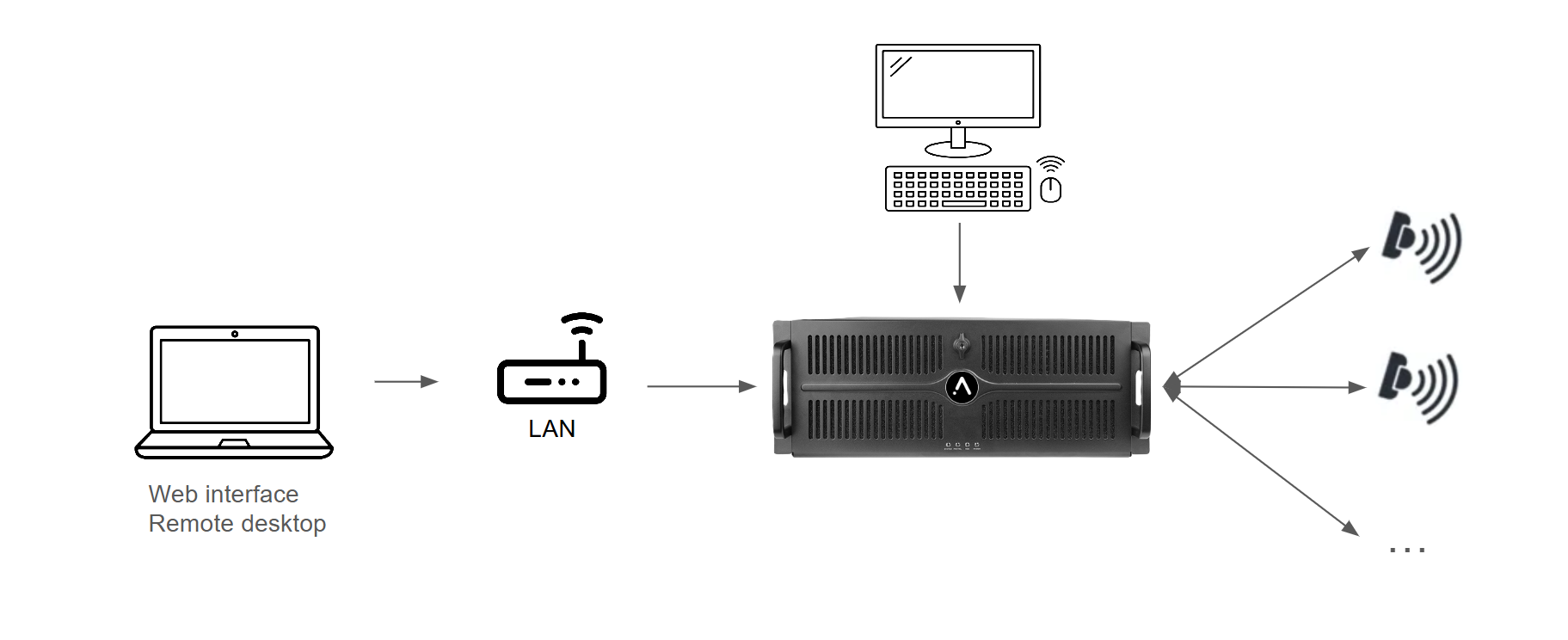
- You can access both web interface and the backend (aka pleiade) interface with a good old screen and keyboard : see :
 Physical access
- You might also need to access the web interface with a laptop in your local wifi or cabled network, see
 LAN server access (web interface),
  Finding the server IP address
Professional setup (minimal)
On a professional setup, with a technical room, you might usually need at least different type of access.
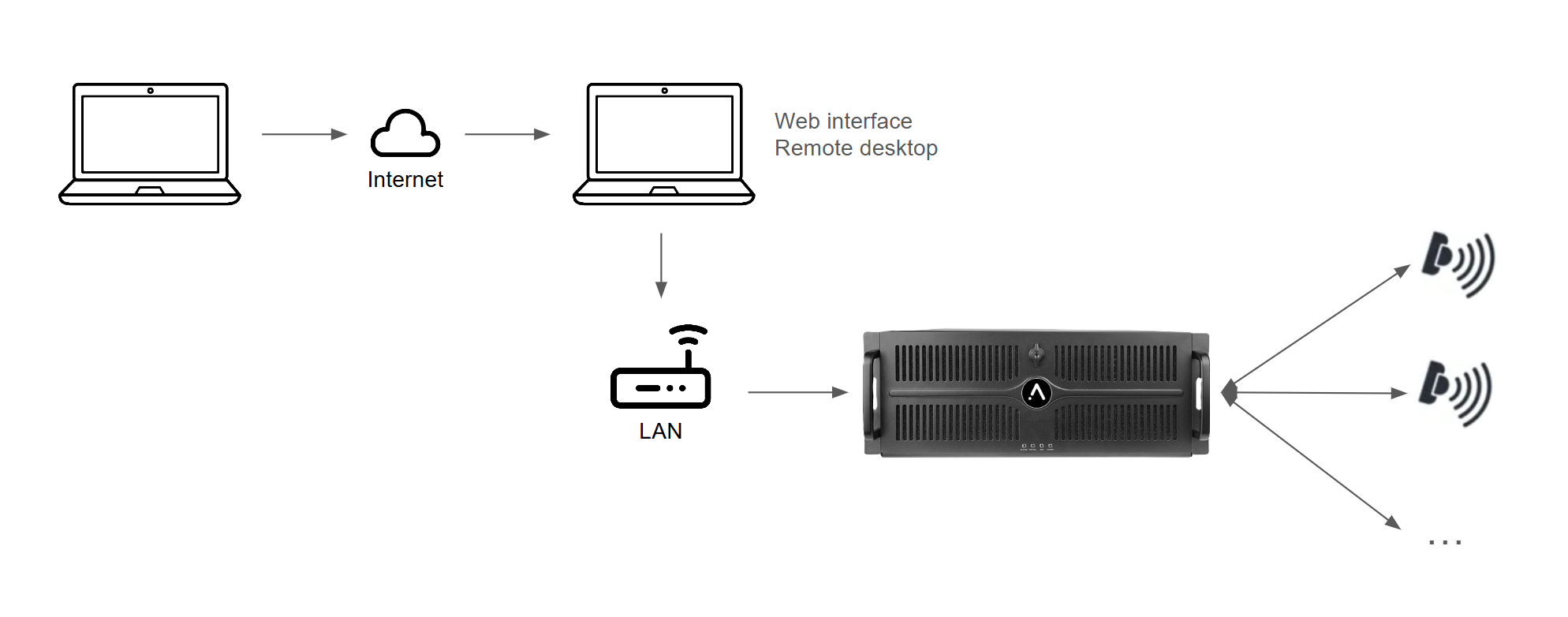
Web interface
- A computer to access the web interface, that can also been accessed remotely (from internet), see LAN server access (web interface), Finding the server IP address
- A wifi network to access the web interface from the interactive immersive space (for calibration during installation or maintenance), see LAN server access (web interface)
Desktop access (backend and desktop)
- A computer to access the machine through the network, that can also been accessed remotely (from internet)
 Server access (remote desktop)
Professional setup (best)
Be prepared ! Here are some suggestions of integrations and deployment that will make your installation the most robust and prepared.
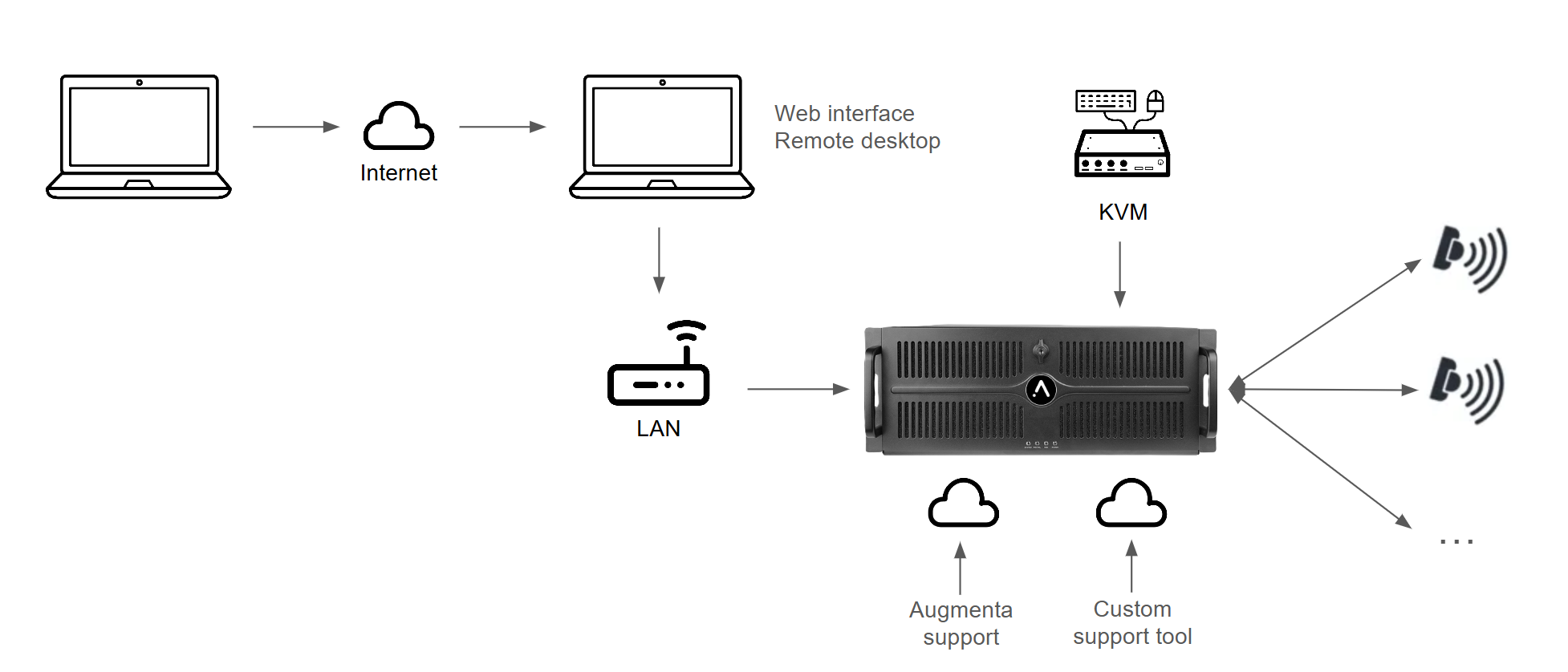
Web interface
- A computer to access the web interface, that can also been accessed remotely (from internet), see LAN server access (web interface), Finding the server IP address
- A wifi network to access the web interface from the interactive immersive space (for calibration during installation or maintenance), see LAN server access (web interface)
Desktop access (backend and desktop)
- A computer to access the machine through the network, that can also been accessed remotely (from internet) Server access (remote desktop)
- A physical access to the machine on site (as a backup in case of local network failure), with a KVM, see Physical access
- An Augmenta support team access to the machine (for potential Augmenta expert team support)
 Remote access capability (for support)
- If you are monitoring all your machines remotely from a specific service, you might want to add the Augmenta servers to your system, see
 Setup your own remote access